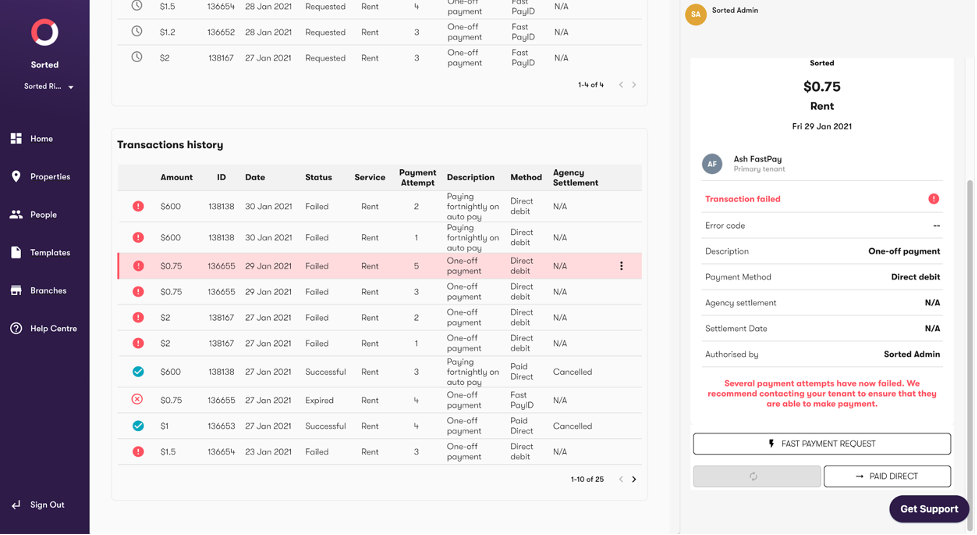
When to use this feature: If a tenant has made payment directly, outside of the Sorted platform, and you want to mark the payment as ‘paid’.
- Navigate to ‘Transaction history’ for the relevant property.
- Select the relevant property
- Click the ‘Paid Direct’ button in the right hand sidebar
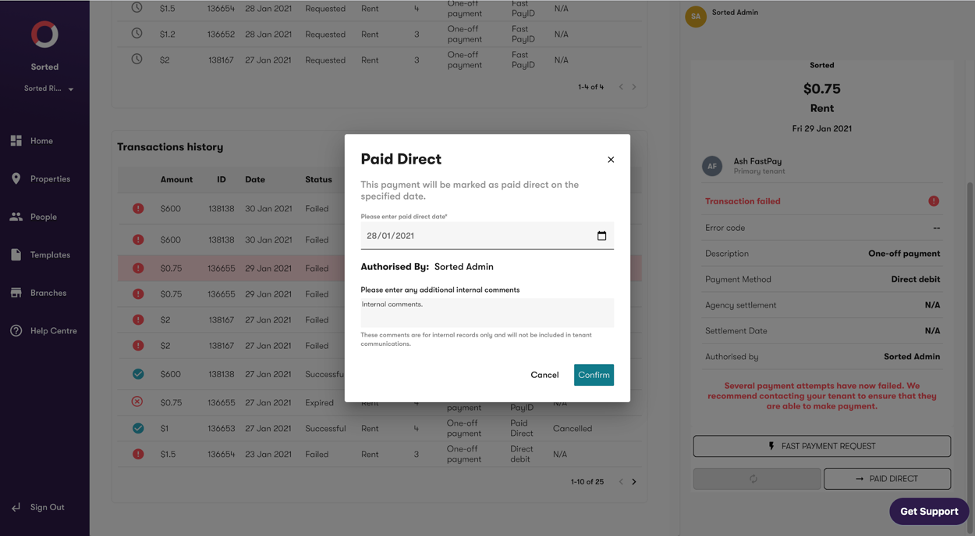
- Input the payment date and any comments you’d like to add (for internal use only).
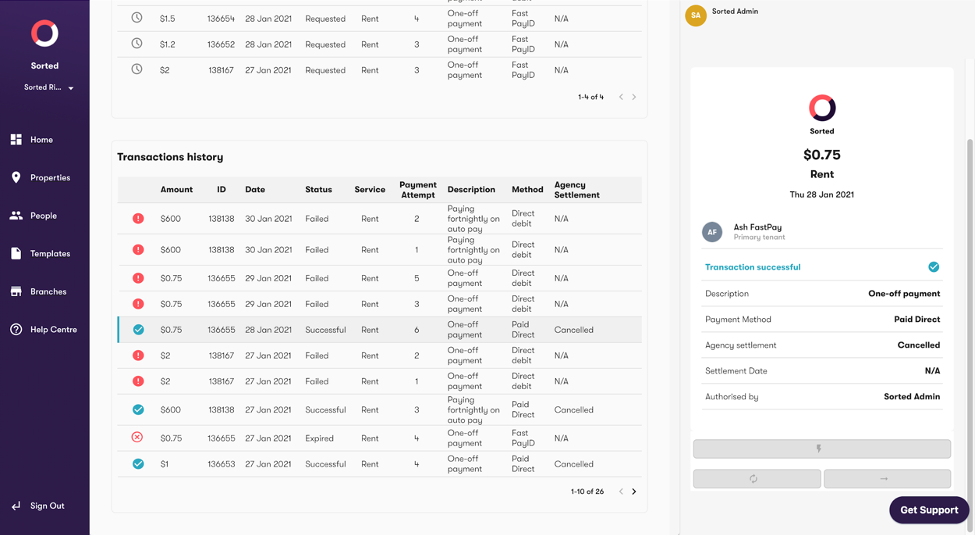
- If the Direct Debit is successful, the payment Status will change to ‘Successful’, as per the below.