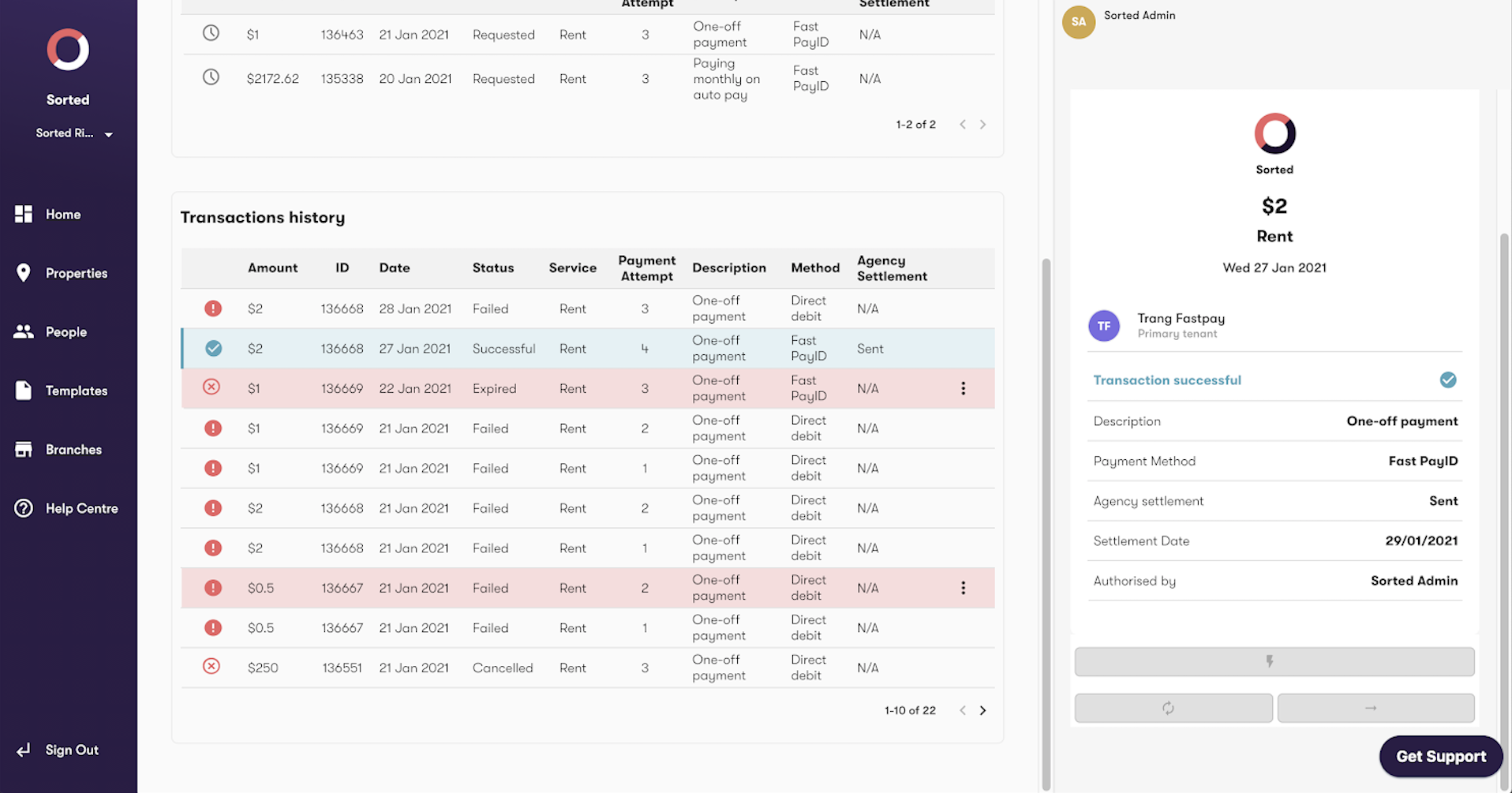
When to use this feature: If multiple direct debit rent payment attempts have been unsuccessful, you can request a ‘Fast Payment’ directly from your tenants using PayID. This allows tenants to pay rent via an alternative method / bank account.
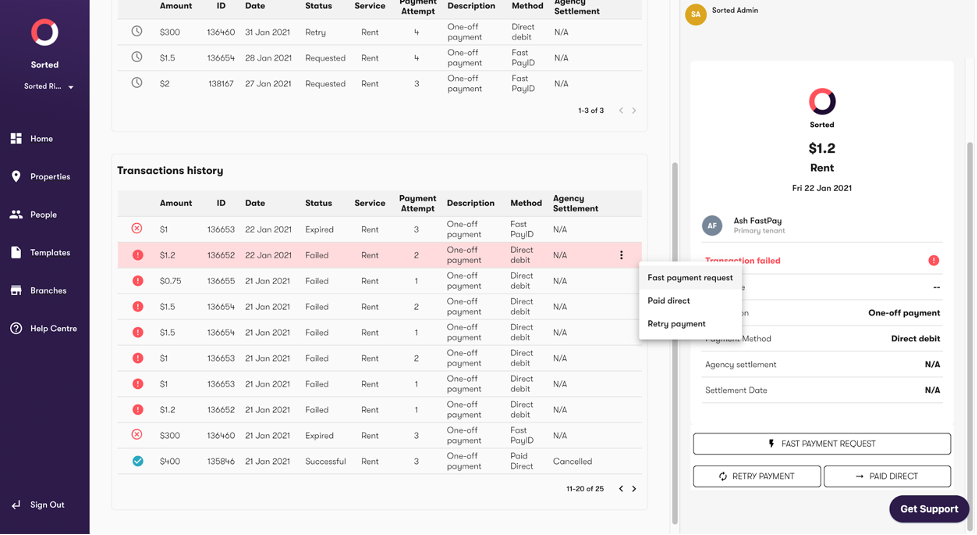
- Navigate to ‘Transaction history’ for the relevant property.
- Select the relevant property
- Click the ‘Fast Payment Request’ button in the right hand sidebar
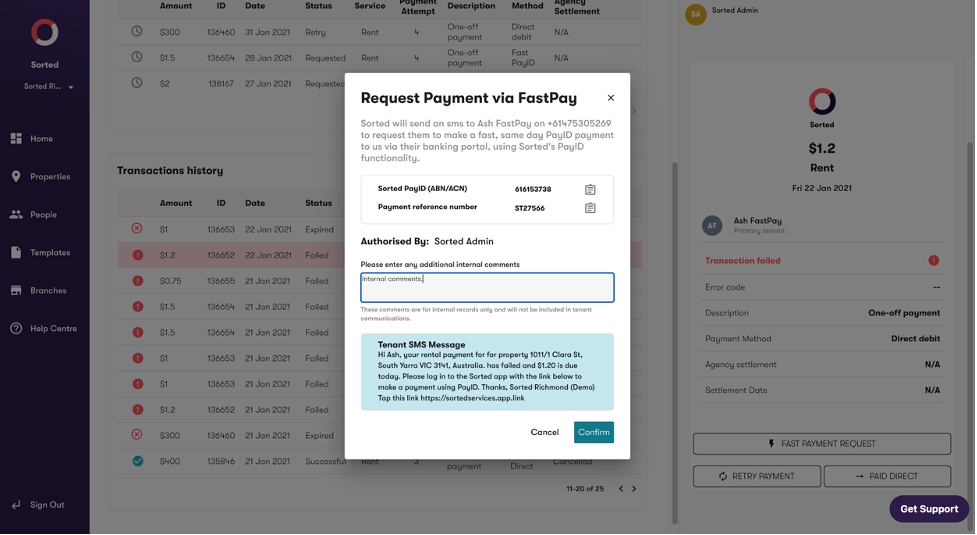
- A confirmation popup will display the tenant’s unique PayID details, the SMS they will receive requesting the payment, and an optional comments box (for internal use only)
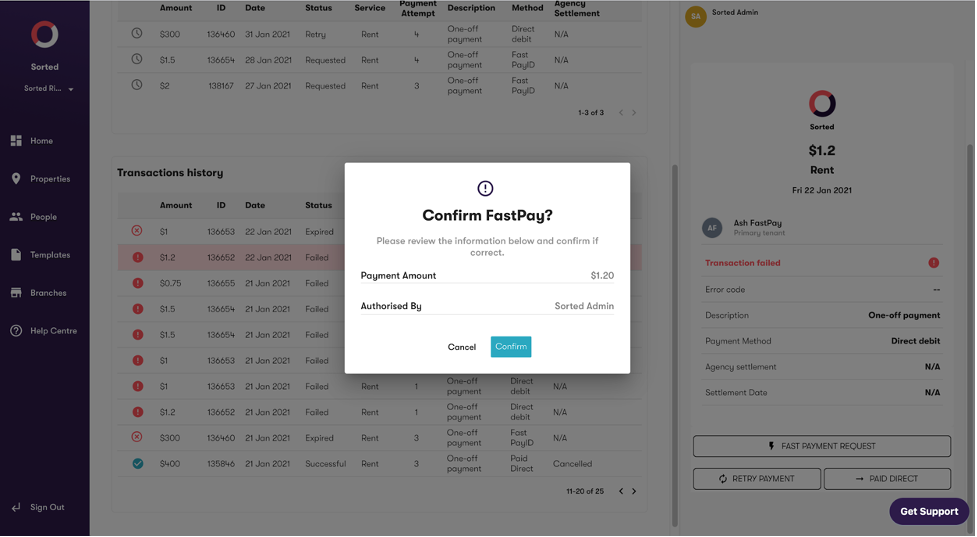
- Select confirm to continue
- Tenants will receive an SMS and an in-app notification requesting the Fast Payment be made, along with their unique PayID reference number
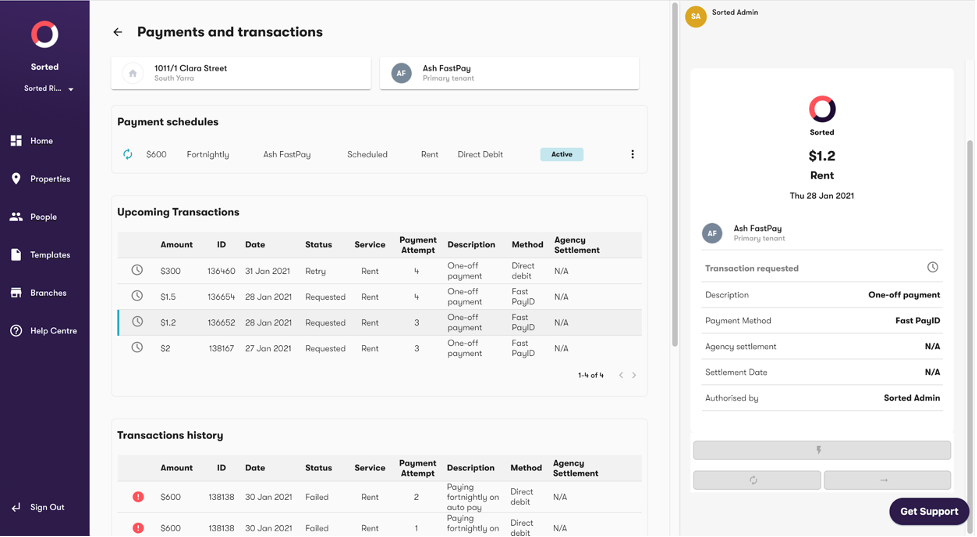
- The request is shown in ‘Upcoming transactions’ with the Status ‘Requested’
- Tenants will be able to pay via PayID using any chosen bank account
- Note - Tenants will need to have the latest version of the Sorted app downloaded in order to view and use the PayID feature
- Payment via PayID is received instantly by Sorted, and is processed into your bank immediately during business hours.
- The transaction status will automatically change to ‘Successful’, as per the below.