When to use this feature: If a tenant’s two automated rent payments have been unsuccessful, and you want to retry a direct debit payment from the tenant’s allocated account.
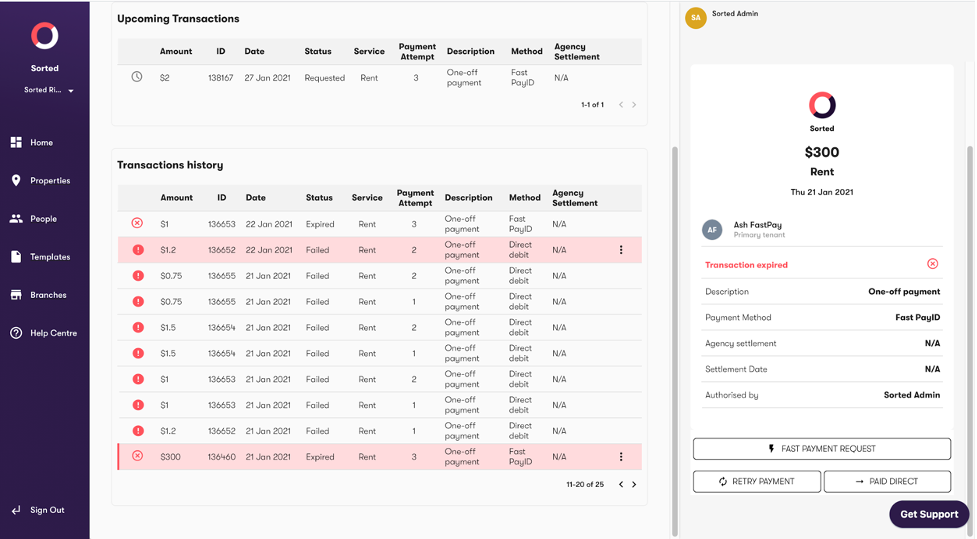
- Navigate to ‘Transaction history’ for the relevant property.
- Select the relevant property
- Click the ‘Retry payment’ button in the right hand sidebar
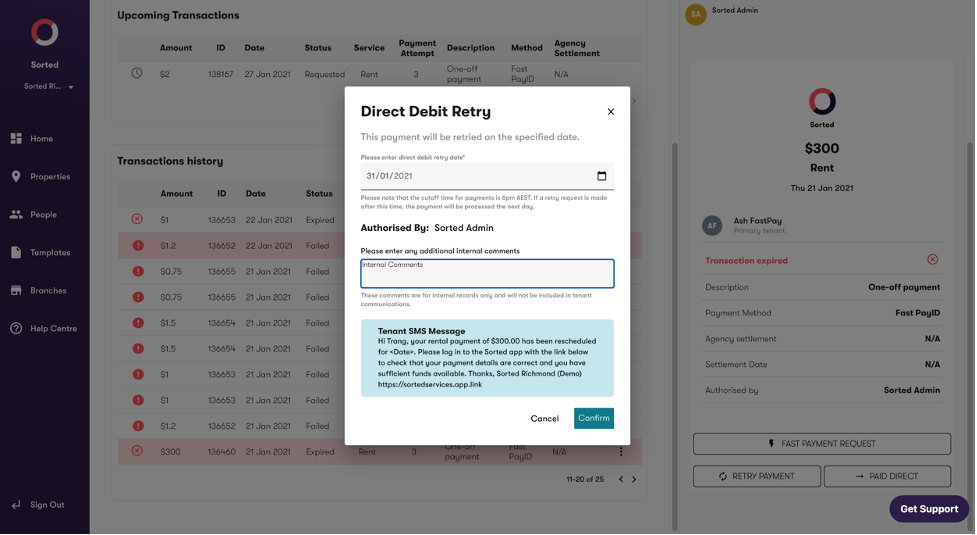
- Input the retry date and any comments you’d like to add (for internal use only). This will trigger the displayed SMS to the tenant.
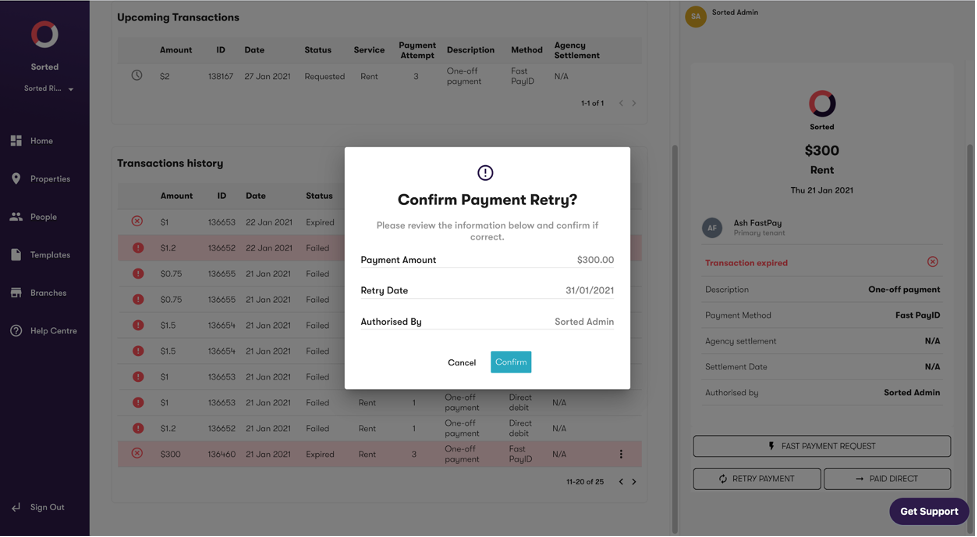
- Click ‘Confirm’ to confirm and the direct debit will be rescheduled
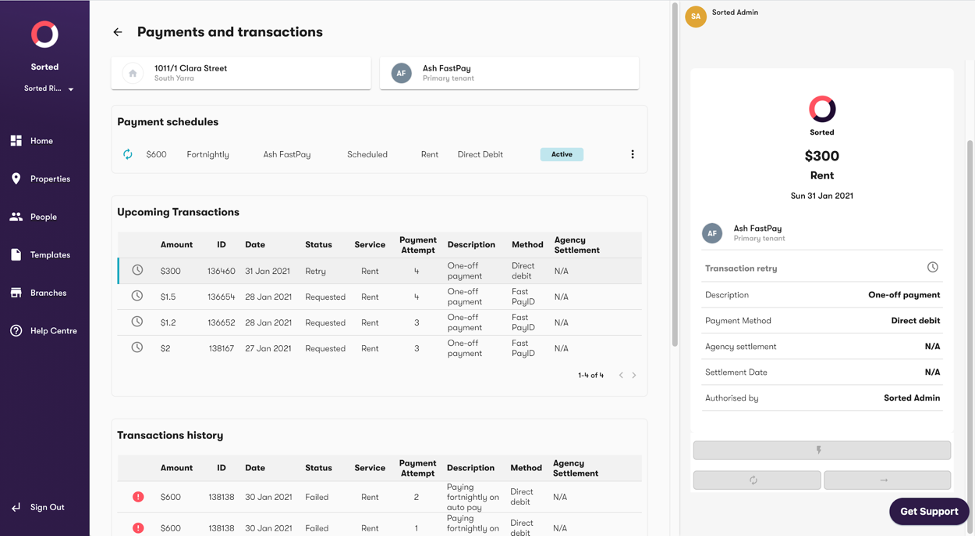
- Your request is displayed in the ‘Upcoming transactions’ section with Status = ‘Retry’.